Tanzania regional map
Made for celebrations across Tanzania

Plan, invite and welcome every guest—beautifully organized.

For your own celebration or your clients' events—manage invitations, RSVPs, guests and arrivals from one organized workspace.

Start planning for free.

English and KiswahiliGuest-friendly linksFast mobile check-in

START WITH YOUR EVENT

What are you planning?

Give it a name. We’ll keep your place while you create your account.

  1. 1Name your event
  2. 2Create your account
  3. 3Finish the details

Your event starter stays in this browser for seven days.

By continuing you agree to our Terms of Service and Privacy Notice.

The Waalikwa dashboard, showing event counts, what needs attention, and a table of upcoming events.

Built for however you organize.

The same workspace, whether it is your own celebration or your twentieth client this year.

Your own event

A wedding, send-off, graduation or birthday—your guests in one place instead of spread across spreadsheets and chat threads.

  • Import the guest list you already have
  • One invitation per guest, seats printed on it
  • Know who is coming before the day
See how invitations work

Event planners

Run several clients' events from one workspace, each with its own guest list, invitations and team.

  • Every client's event on one calendar
  • Gate staff who only see the event they work
  • A report for each event once it is over
See the calendar

Committees and teams

Share the work of invitations, responses, michango and the gate, with roles that decide who can do what.

  • Chairperson, secretary, treasurer, members
  • Pledges, payments and expenses in TZS
  • Records voided with a reason, never edited
See michango

Whichever one you are, it starts the same way.Name your event

A simpler event day

From guest list to gate, and the books to match.

Every screen below is the real product, not an illustration. This is the whole journey an organizer walks, in order.

Plan

Every sitting of every day, on one calendar.

A wedding is rarely one event. Set the send-off, the ceremony and the reception as separate sittings, then read them by day, week, month or year.

  • Multi-day events, including a sitting that runs past midnight
  • Region, district and ward pickers built for Tanzania
  • Draft, active, completed and cancelled, each colour-coded
The Waalikwa calendar in month view, with colour-coded event and session chips across the weeks.

Invite

An invitation for each guest, on WhatsApp or by SMS.

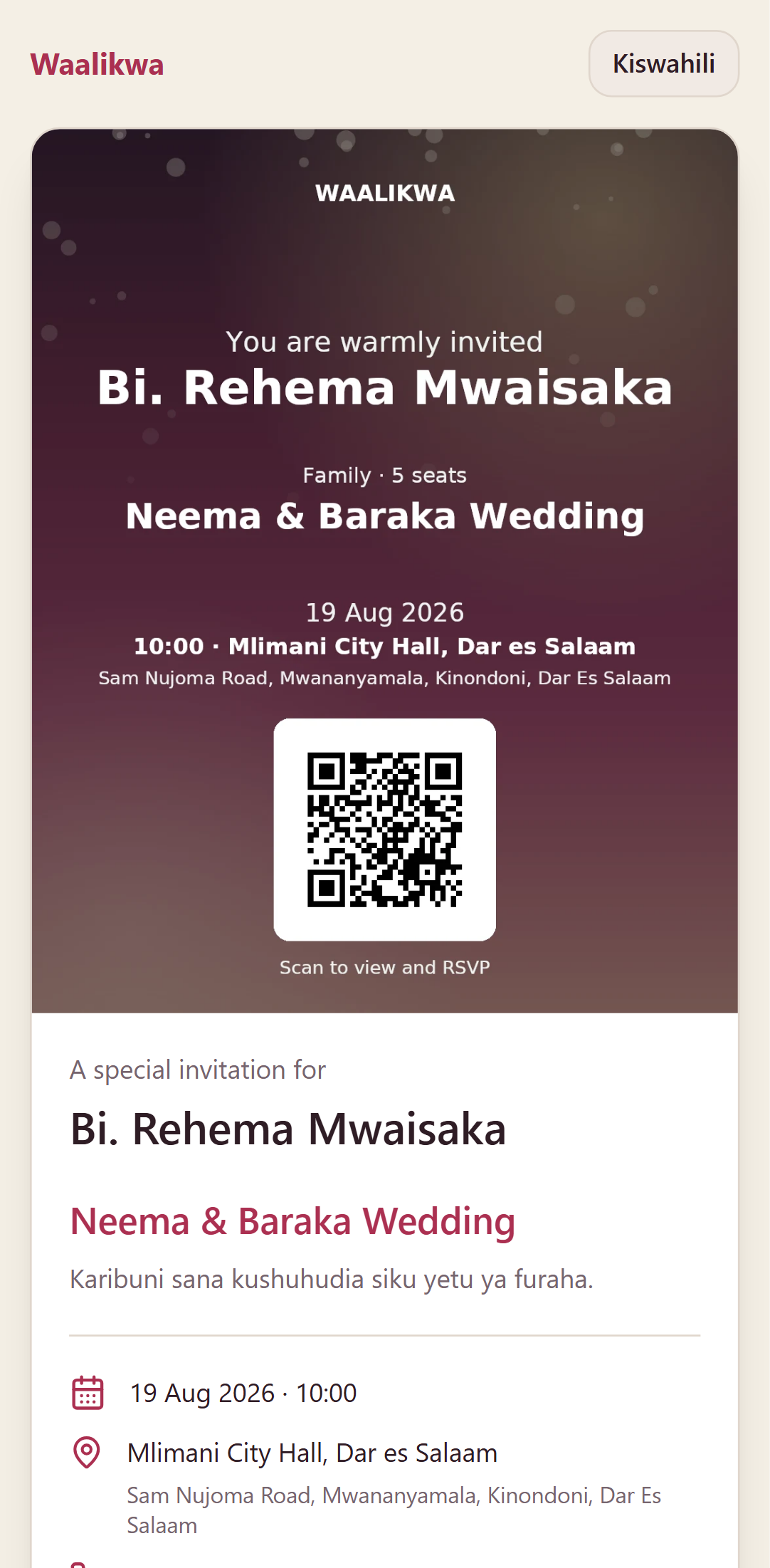
Generate the artwork per guest, with their name and what the card admits printed on it. You send each one yourself, from your own WhatsApp, so it arrives from a number your guests already know.

  • A scannable code on every card, unique to that guest
  • Family, couple or single—with the number of seats
  • Not on WhatsApp? Text them the link straight from Waalikwa
The invitations screen, showing generated invitation artwork for each guest with download and WhatsApp buttons.
The invitation as a guest sees it on their phone, with the artwork and buttons to accept or decline.

You send

You are invited. Open your invitation: waalikwa.app/i/9FFE8U

They tap the link

Confirm

Who is coming, without a single spreadsheet.

Responses land as they arrive. When a guest phones instead of tapping, your staff record it for them and the guest gets a confirmation by SMS.

  • Attending, declined and still silent, at a glance
  • Staff can record a response that was given over the phone
  • Search by name, phone or invitation code
The RSVP screen, with filter cards for attending, declined and pending, and a searchable list of responses.

Welcome

The gate runs on a phone, and it counts seats.

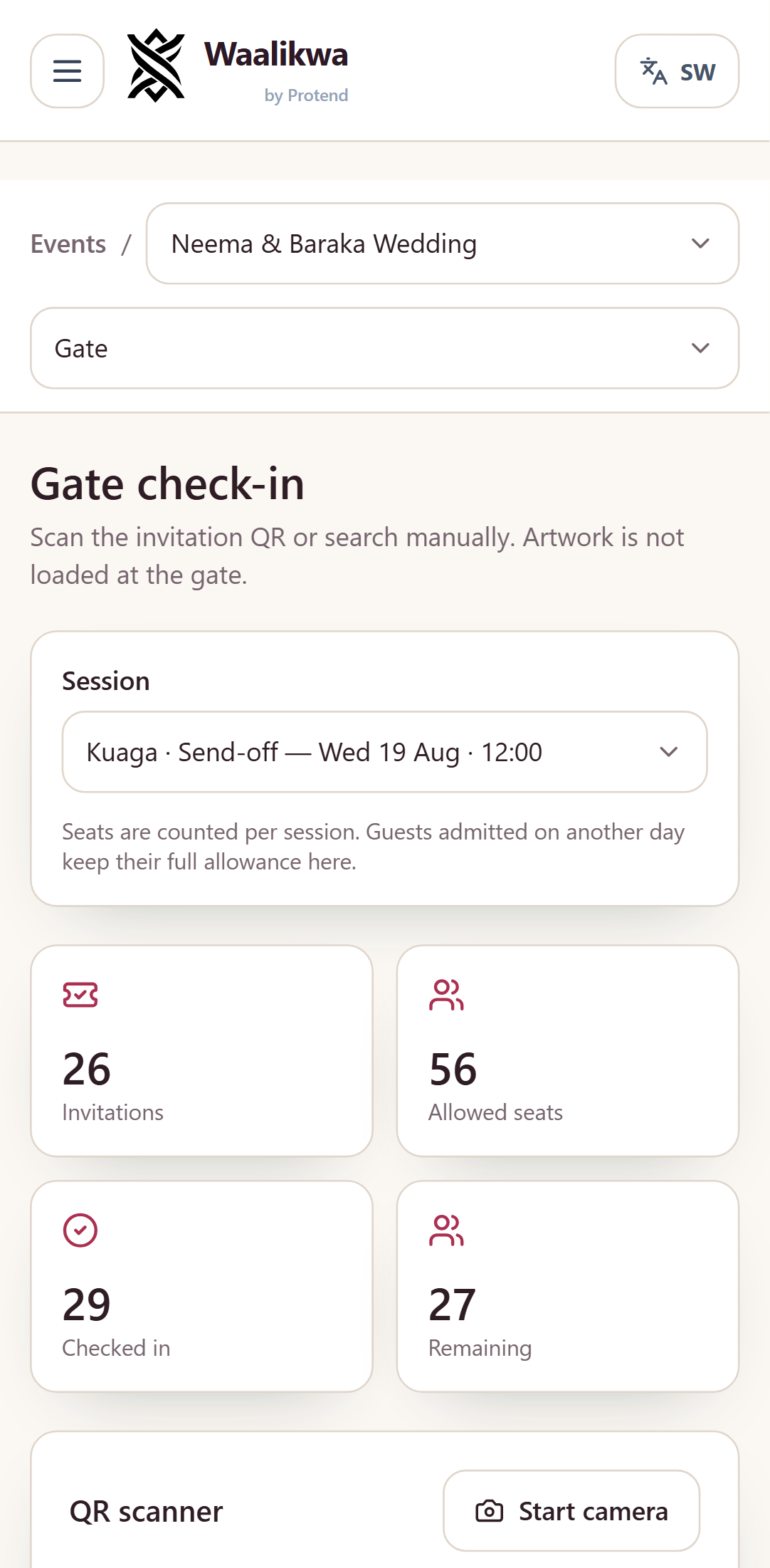
Scan the code or search the name. A family of six can arrive in two groups and the seats still add up—and nobody is admitted twice.

  • Scan a QR code with the camera, or look the guest up by hand
  • Admit some seats now and the rest when the others arrive
  • Every admission is confirmed once and never double counted
The gate check-in screen on a phone, showing a guest's remaining seats and the admit button.

Account for it

Michango, and the numbers to show for it.

Pledges made at the committee meeting, payments as they come in, and what the money went on—beside a thank-you list of everyone who actually walked through the gate.

  • Pledges, payments and expenses in TZS, per contributor
  • A record is voided with a reason, never quietly edited
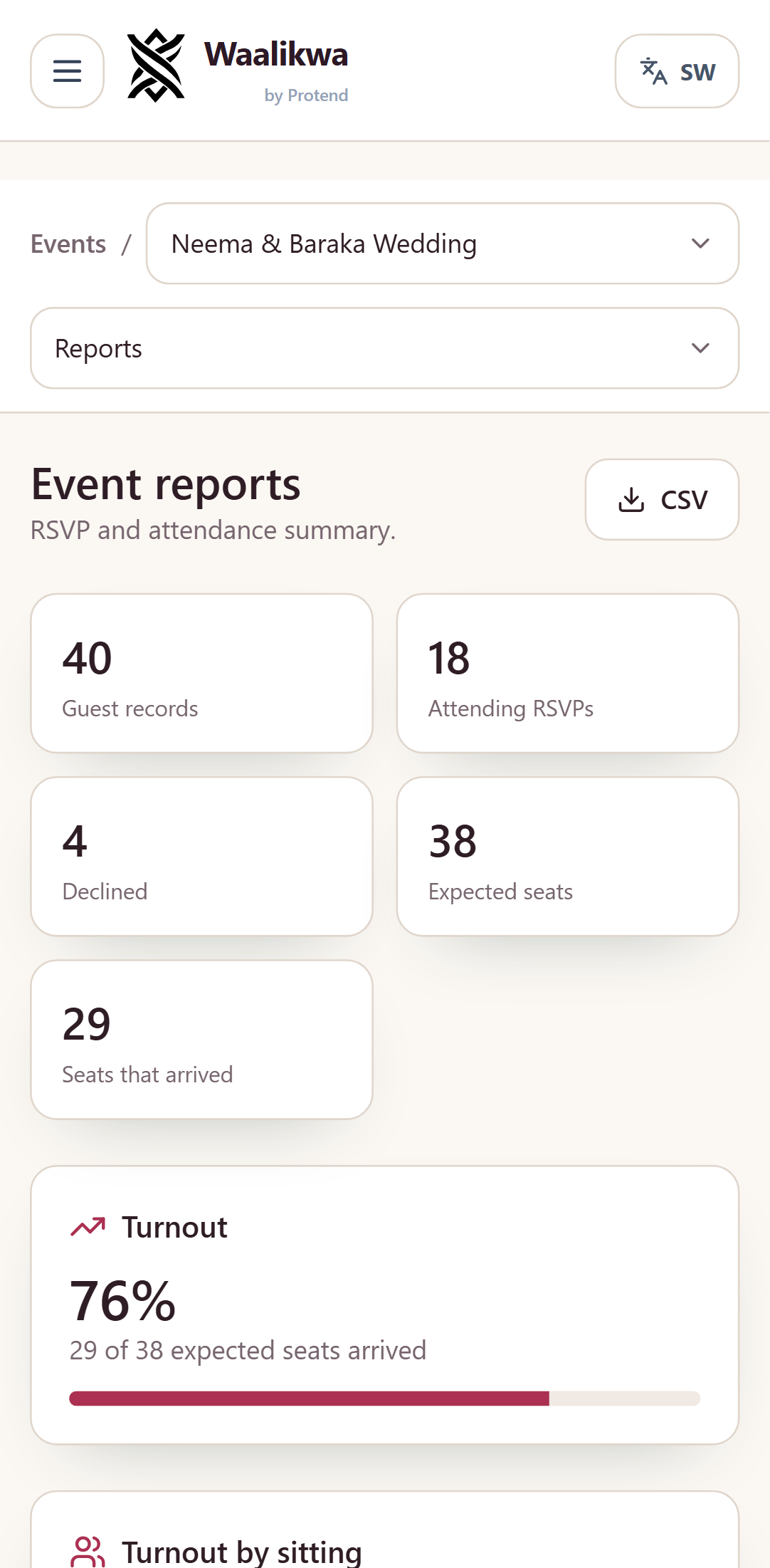
  • Turnout, arrival times, and who to thank afterwards
The contributions ledger, showing pledged, collected and spent totals with a chart of spending by category.
The event report, showing turnout, a chart of when guests arrived, and the thank-you list.

And the report afterwards

Your guest experience, thoughtfully handled.

Simple enough for a small celebration, structured enough for a full team—without making guests create an account.

Start with your next event

Start with your next event

Name it and pick the date. Everything above is waiting on the other side.

English and KiswahiliGuest-friendly linksFast mobile check-in

START WITH YOUR EVENT

What are you planning?

Give it a name. We’ll keep your place while you create your account.

  1. 1Name your event
  2. 2Create your account
  3. 3Finish the details

Your event starter stays in this browser for seven days.

By continuing you agree to our Terms of Service and Privacy Notice.